Storefront & Profile
Dealer page, payment methods, banner, and public storefront settings.
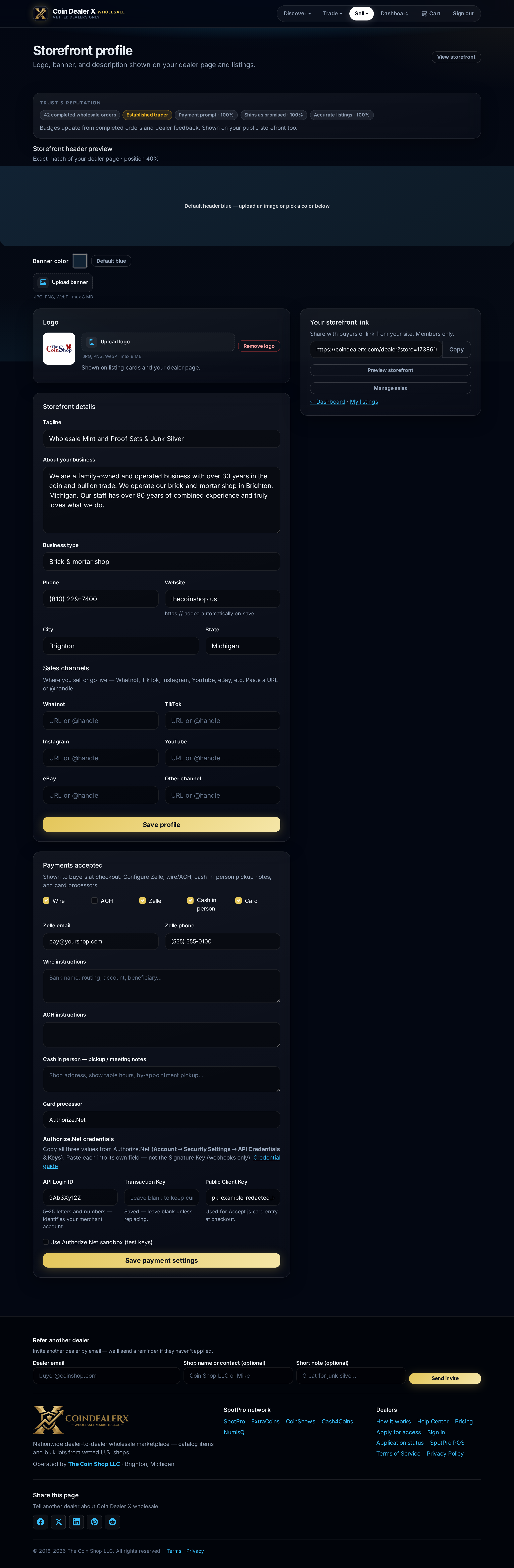
Step-by-step instructions
1 Open Profile
Sell → Storefront & payments (or /profile). Buyers see this when they click your dealer name.2 Shop identity
Upload logo, banner, and shop description. Add address and contact preferences shown to approved dealers only where applicable.3 Payment methods
Enable wire, ACH, Zelle, cash-in-person, and/or card processors (Authorize.Net, Stripe, CARDZ3N). Card checkout requires valid API keys — see Payments overview.
Screenshots